A Shopify order can look complete in the admin while its cash-on-delivery handoff is still uncertain. Before printing a shipping label, decide what your team needs to know: does the customer still want the parcel, can they receive it at the address, and what happens if they do not reply?
A useful confirmation flow has three clear outcomes, not a maze of messages:
- Confirm: the order can move to the normal dispatch queue.
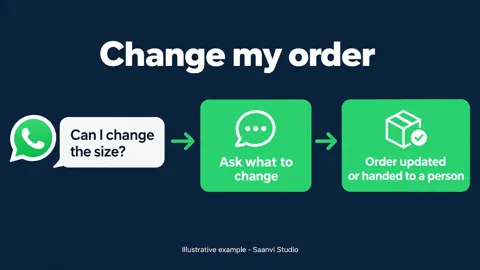
- Change or cancel: pause fulfillment and send it to a person who can check the order and store policy.
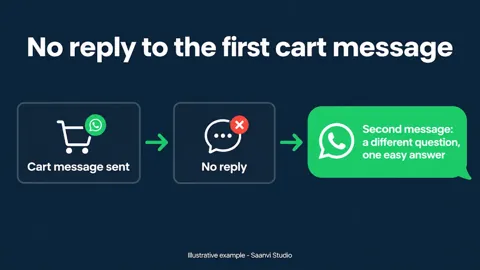
- No reply: hold for review rather than quietly marking it confirmed.
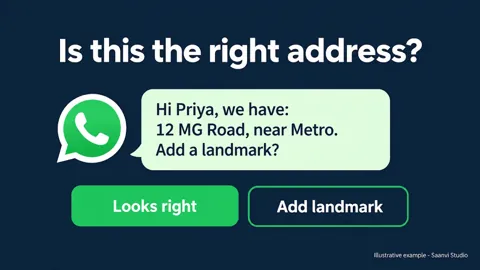
Keep the message short. Identify the store and order, state the COD amount as shown in the current order, and ask for a simple choice. Do not imply a discount or delivery promise that the store has not approved. Record the response against the order so packing staff see it without digging through chat.
Start with a small sample and compare confirmed, canceled and unanswered orders with the same store's normal process. Track dispatches and returned parcels separately; a reply rate alone does not tell you whether the workflow helped. Check that the customer agreed to WhatsApp contact and that the message follows the current WhatsApp Business Platform rules.
This is the kind of order handoff Hextor Labs designs for Shopify stores. The service overview is at https://hextorlabs.com. The workflow should follow your own shipping and cancellation rules, not the other way around.
Sources for factual guardrails: Meta's WhatsApp opt-in guidance https://developers.facebook.com/documentation/business-messaging/whatsapp/getting-opt-in and Hextor Labs service overview https://hextorlabs.com. This post is workflow advice, not a claim that a particular conversion or RTO result is guaranteed.