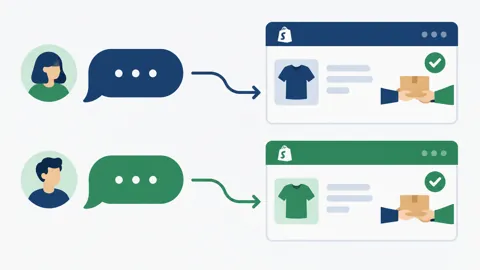
A larger COD order comes in and the team gets nervous. If it goes wrong, the store carries a bigger loss. The tempting response is a stern, long confirmation full of conditions. That tends to make a genuine buyer feel accused. The better aim is a clear message that shows the order, asks for a plain yes and gives a person a chance to step in.
Higher value changes the stakes, not the respect
Decide in advance what counts as a higher-value order for your store, using your own numbers and your own tolerance. The customer does not need to know that rule. They need a message that looks like the usual COD confirmation, with the order and address shown so they can check it.

One extra step, explained simply
If the store wants an extra check, make it one step the customer can understand, such as confirming the address or the item. Say it helps the parcel arrive as expected. Avoid wording that hints at fraud or at a penalty. The COD amount article explains why the way an amount is shown affects how customers read the message.
Keep a person in the loop for the awkward replies
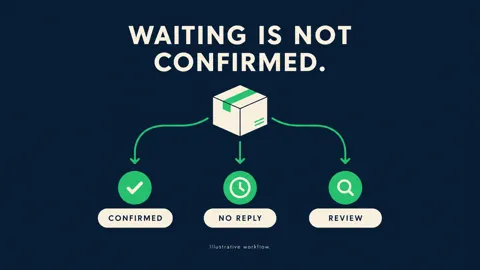
A customer may ask why they are being asked, or request a change. Those replies need a person who can read the order and answer. Keep the order and the conversation together so no one asks the buyer to repeat details. If there is no reply, the store's own rule applies, as covered in the no-reply article.

Saanvi Studio: the same tone, one more check
In this fictional example, Priya places a larger COD order at Saanvi Studio. She receives the normal confirmation with the order and address, plus one question confirming the delivery details. She answers, a team member sees the confirmed order and releases it. Had she asked a question, that person would have replied before anything shipped.
What Hextor builds around the extra step
Hextor builds WhatsApp COD confirmation flows for Shopify stores, with confirmation before the label is printed. During the audit, you can decide what the store treats as higher value, what the extra check asks and when a person steps in. The flow runs in your own accounts. It does not promise fewer refusals.
Tap the "Ask anything" WhatsApp button and tell us where your team gets stuck. Start with a free 30-minute audit to discuss what the flow would need to handle in your Shopify store.
Sources and scope: Hextor Labs for the Shopify flow overview; Meta WhatsApp opt-in guidance for messaging permission. Obtain appropriate opt-in, set expectations and honor opt-outs. Saanvi Studio and Priya are fictional illustrations, not customers, testimonials or measured results. These are operational considerations, not guaranteed outcomes.